पुरानी यादों को दीजिए नया ट्विस्ट, Gemini Nano Banana फीचर से बनाइए इंस्टेंट पोलेरॉइड PIC
जेमिनी एआई पोलरॉइड स्टाइल इमेज के लिए प्रॉम्प्ट

Gemini Polaroid Style Image Prompt: अगर आप भी अपनी तस्वीरों को पोलेरॉइड इमेज में बदलना चाहते हैं, तो आज हमको बताएंगे इसके लिए कुछ खास प्रॉम्प्ट. जिससे आप जेमिनी के नैनो बनाना फीचर से आसानी से अपना पोलेरॉइड इमेज बना सकते हैं.
Gemini Polaroid Style Image Prompt: Google Gemini का नया AI इमेज जेनरेटर फीचर Nano Banana का क्रेज अब तक सोशल मीडिया पर देखने को मिल रहा है. रेट्रो लुक से लेकर फेस्टिव इमेज तक यूजर्स बना कर सोशल मीडिया पर पोस्ट कर रहे हैं. इसी बीच अब Polaroid इमेज बनाने का चस्का यूजर्स पर चढ़ गया है. यूजर्स Gemini Nano Banana फीचर से Polaroid स्टाइल इमेज बना रहे हैं. ऐसे में आप भी खुद की या अपने दोस्तों के साथ इस तरह की इमेज बनाना चाहते हैं, तो फिर आपके लिए लेकर आए हैं एकदम सटीक Prompt, जिससे आपको Gemini आपका एकदम परफेक्ट Polaroid इमेज बना कर दे देगा.
Polaroid इमेज बनाने के लिए ट्राई करें ये प्रॉम्प्ट
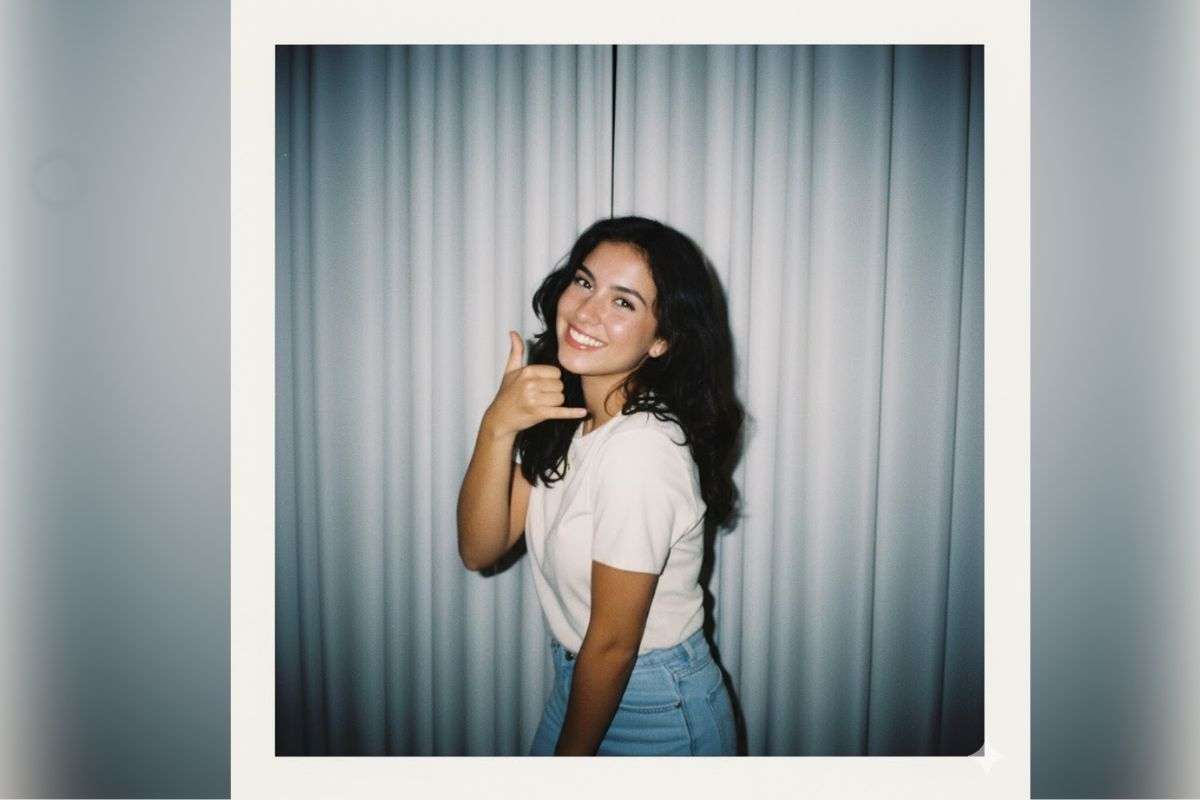
Prompt 1: Convert this girl image in polaroid style image which looks like taken with a Polaroid camera. The photo should look like an ordinary photograph. The photo should have a slight blur and a consistent light source, like a flash from a dark room, scattered throughout the photo. the background should be white curtains with white curtains.
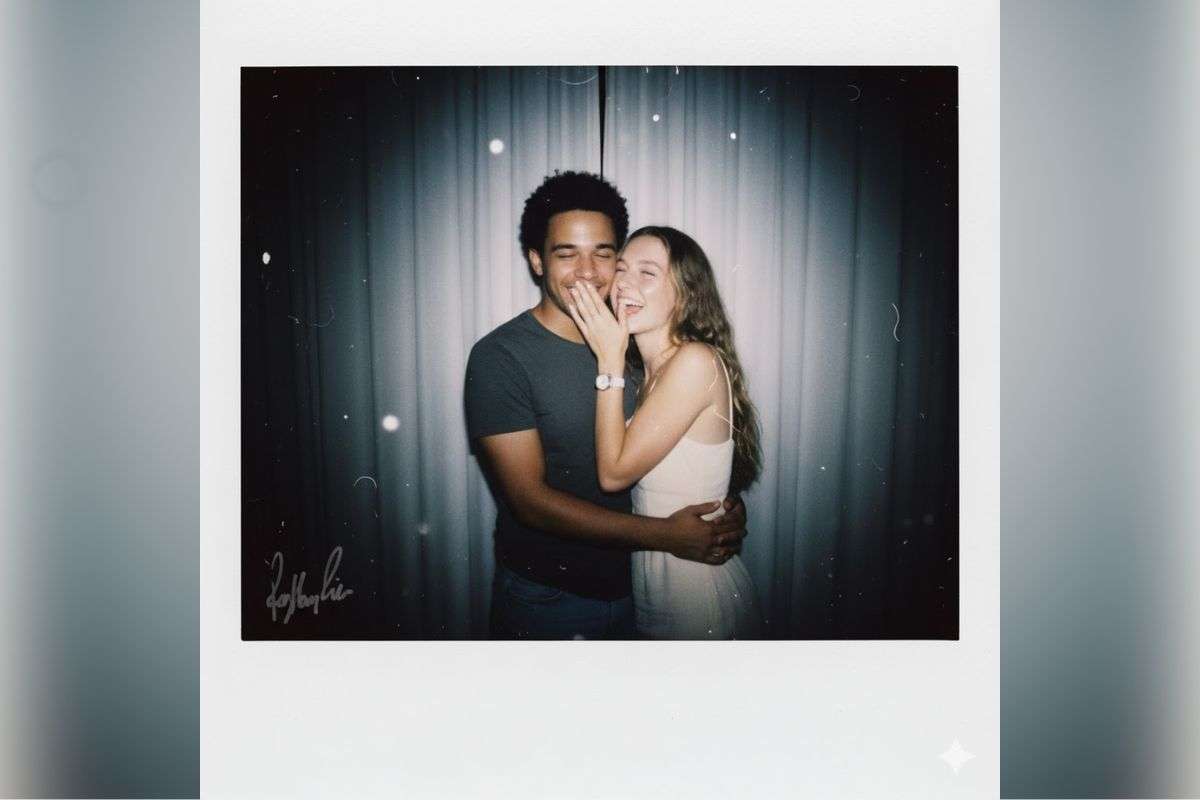
Promot 2: Convert this couple image in making cute poses which looks like taken with a Polaroid camera. The photo should look like an ordinary photograph. The photo should have a slight blur and a consistent light source, like a flash from a dark room, scattered throughout the photo. the background should be white curtains with white curtains.
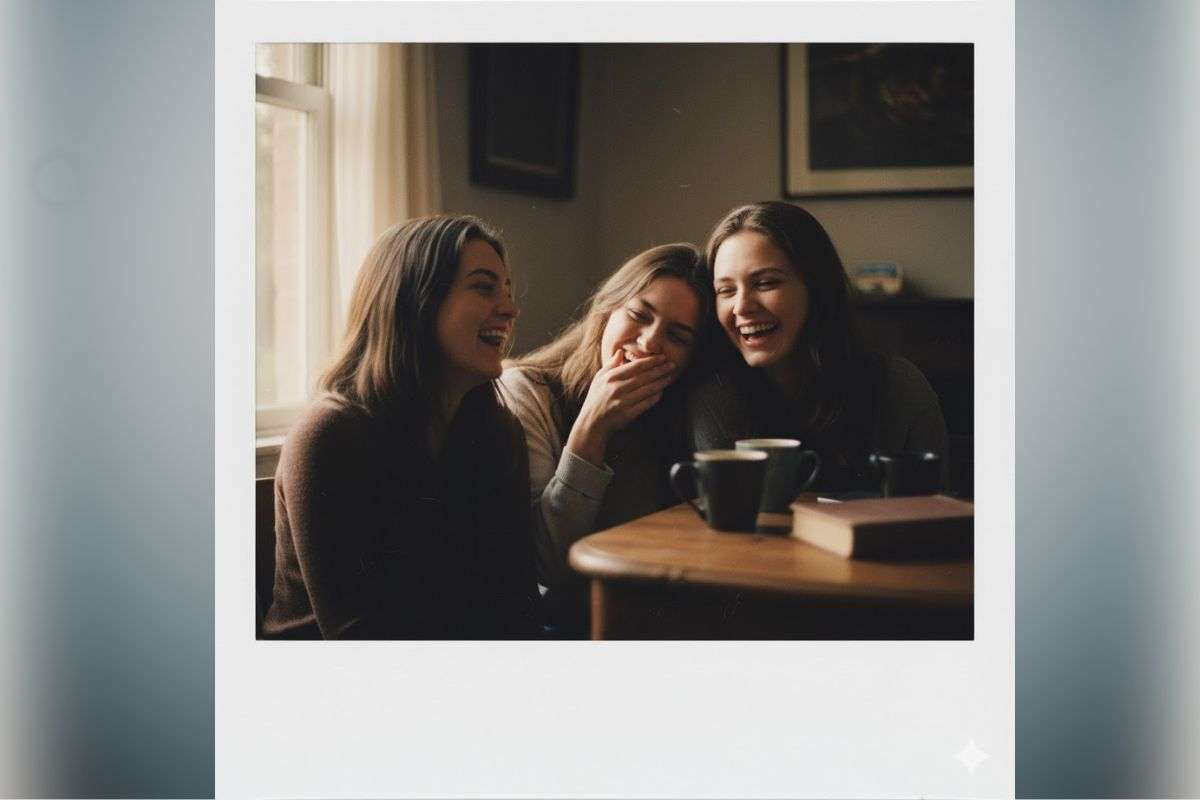
Prompt 3: Convert this image in a 4K ultra-HD Polaroid-style snapshot of three women sharing a genuine, candid laugh. Soft, natural dim lighting with a warm vintage tone, subtle film grain texture, and a slightly faded instant photo look. The image should feel nostalgic and authentic, with a white Polaroid frame and gentle shadows enhancing the cozy, timeless mood.
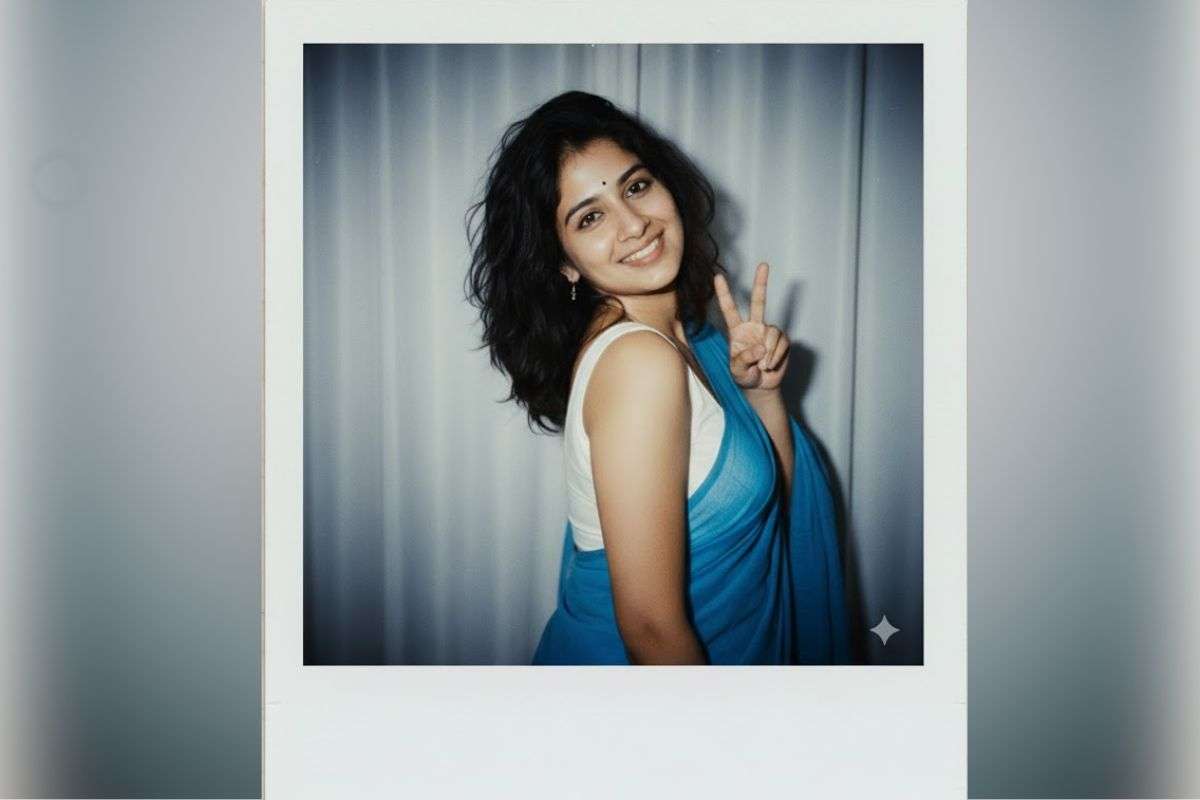
Prompt 4: Convert this image in women wearing a blue saree with white sleevless blouse, wavy hair looks like taken with a Polaroid camera. The photo should look like an ordinary photograph. The photo should have a slight blur and a consistent light source, like a flash from a dark room, scattered throughout the photo. Change the background behind the women with white curtains. make a women wearing blue saree with white sleevless blouse, retro film look. messy hair, shy smiles, and playful laughter.
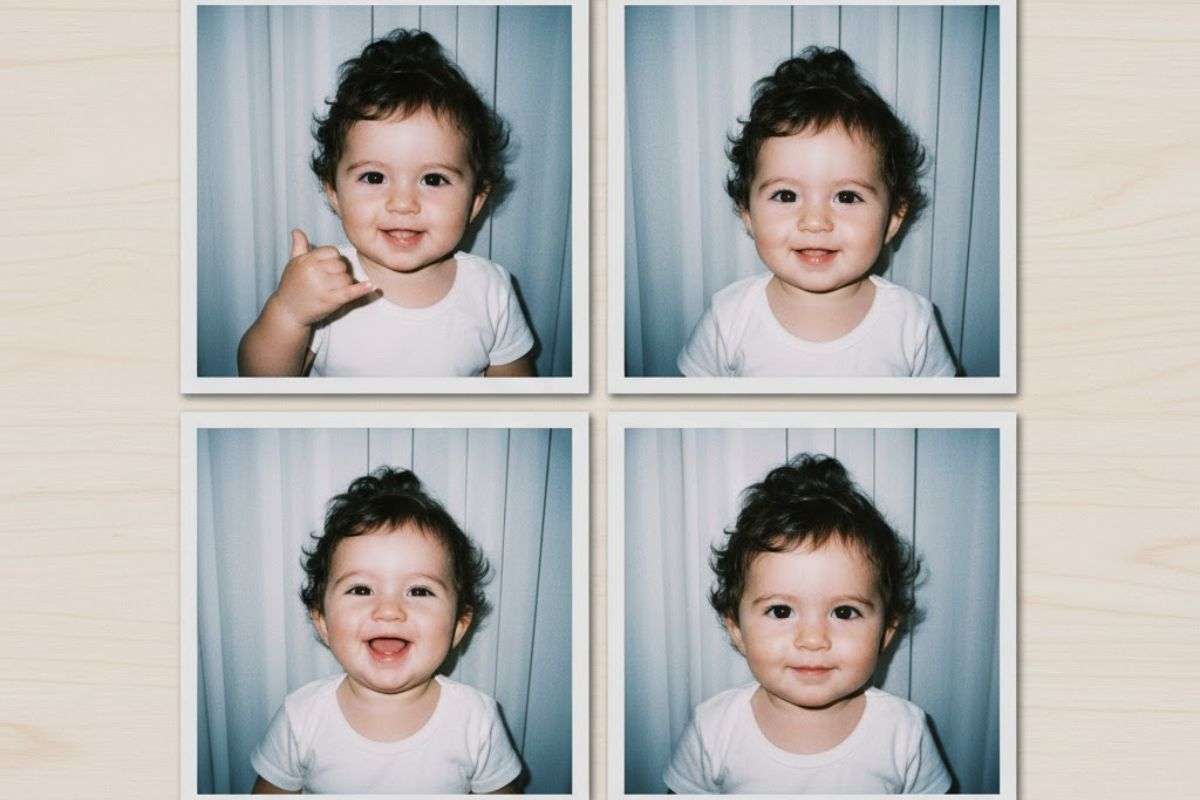
Prompt 5: Convert this image into four separate Polaroid-style snapshots of an adorable Indian baby making cute and playful facial expressions. Each photo should have a white Polaroid border, warm, bright lighting that simulates a camera flash in a dim room, a slight, gentle blur or soft focus, and a clean white curtain background. High-resolution, 4K, vintage film aesthetic.
Gemini पर इस तरह का इमेज बनाने का क्या है प्रोसेस?
Gemini में इस तरह के इमेज को बनाने के लिए आपको पहले जेमिनी ऐप या तो ब्राउजर में जेमिनी वेब पर जाना होगा.
इसके बाद जेमिनी ओपन कर Nano Banana फीचर पर क्लिक करें.
अब अपनी एक अच्छी फोटो अपलोड करें जिसमें आपका चेहरा अच्छे दिख रहा हो.
इमेज के साथ Prompt भी दें.
प्रॉम्प्ट में सारी चीजें क्लियर तरीके से लिखें कि आपको आपकी तस्वीर कैसी चाहिए.
इसके बाद जेनरेट बटन पर क्लिक कर दें.
क्लिक करते ही जेमिनी आपको आपके प्रॉम्प्ट के अनुसार इमेज बना कर दे देगा.
Gemini में Polaroid स्टाइल इमेज के लिए सबसे अच्छा प्रॉम्प्ट कैसे लिखें?
Prompt में वो सारे डिटेल्स दें, जो आपको आपकी इमेज में चाहिए. जैसे कि “Convert this girl image in polaroid style image which looks like taken with a Polaroid camera. The photo should look like an ordinary photograph. The photo should have a slight blur and a consistent light source, like a flash from a dark room, scattered throughout the photo. the background should be white curtains with white curtains.”
Gemini में इमेज को और खूबसूरत कैसे बनाया जा सकता है?
इमेज को सुंदर और रियल दिखाने के लिए आपको लाइटिंग और बैकग्राउंड के साथ-साथ पोज, कपड़े फ्रेम और स्टाइल जैसे सटीक डिटेल्स देने होंगे.
क्या जेमिनी में इमेज बनाने के लिए किसी तरह का सब्सक्रिप्शन लेना पड़ता है?
नहीं, जेमिनी में इमेज बनाने के लिए आपको किसी तरह का सब्सक्रिप्शन नहीं लेना पड़ेगा. आप फ्री में इमेज बना सकती हैं.
क्या जेमिनी से एक दिन में कितनी भी इमेज बना सकते हैं या कोई लिमिट है?
फिलहाल, तो अभी किसी तरह की लिमिट नहीं लगाई गई है.
WhatsApp पर भी बनेंगे Gemini Nano Banana वाले ट्रेंडिंग फोटोज, तरीका बड़ा आसान
प्रभात खबर डिजिटल टॉप स्टोरी
Prabhat Khabar App :
देश, एजुकेशन, मनोरंजन, बिजनेस अपडेट, धर्म, क्रिकेट, राशिफल की ताजा खबरें पढ़ें यहां. रोजाना की ब्रेकिंग हिंदी न्यूज और लाइव न्यूज कवरेज के लिए डाउनलोड करिए